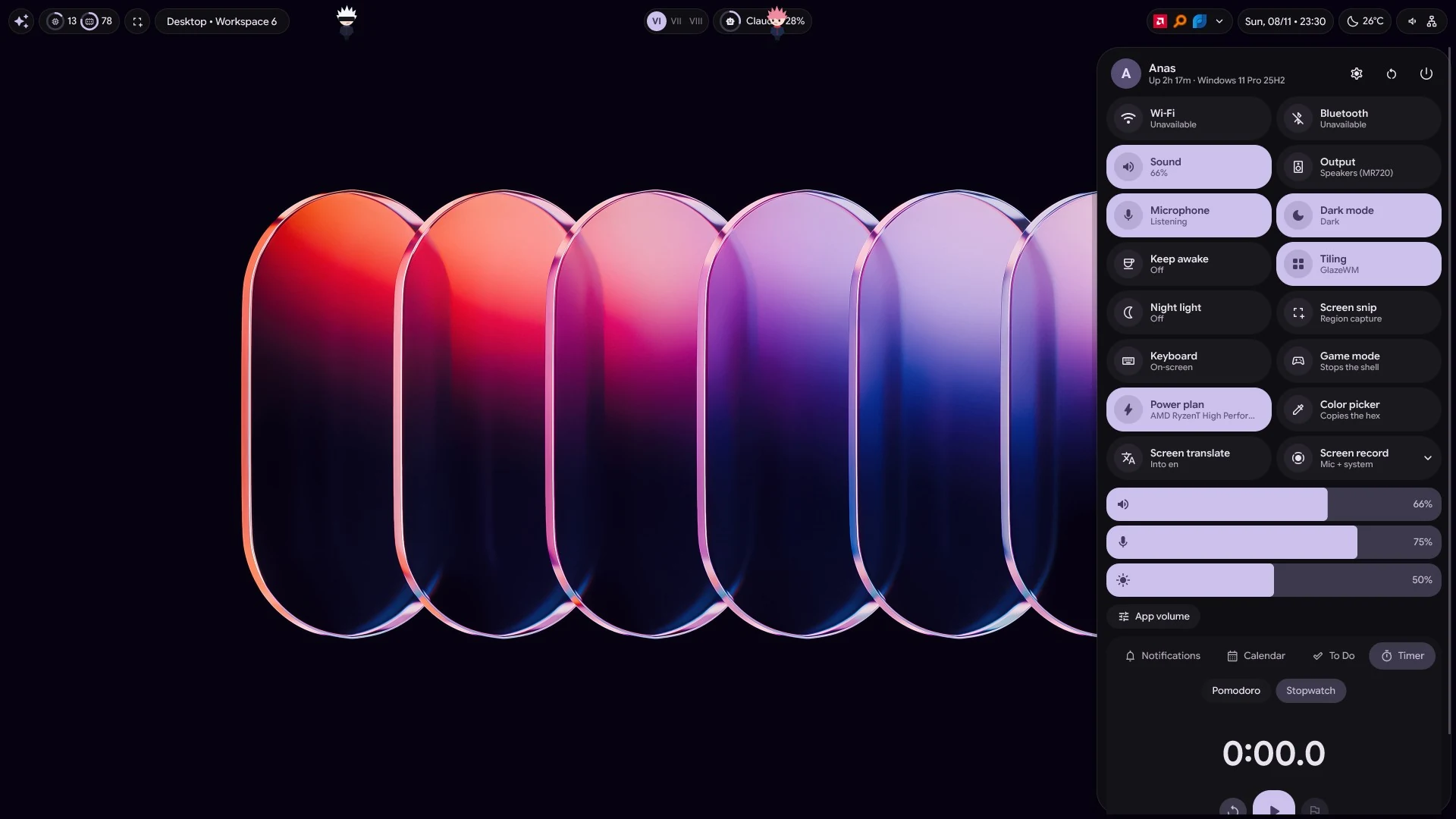
A screenshot of a running desktop. The right sidebar holds toggles, sliders, notifications, a calendar, a to-do list and a timer.
A little company. A lot of help.
Your buddy lives on the bar, walks around, sleeps when you leave and comments on what your PC is doing. Say "Hey Buddy" or press Mod + B to ask for help.
Play a song. Open an app. Ask about your screen. With your permission, your buddy can take over the mouse to finish a task.
Use your Claude, Gemini or ChatGPT subscription, connect an API key, or run a local model with Ollama.
A character of your ownMake your own buddy from one picture.
Looking out for youYour buddy warns you when Claude usage passes 80%.
Z
ZorYour desktop buddy
Example
"Hey Buddy, play lofi"
Music, without the app hunt.
Ask your buddy to find a song and start playing it.
Example requests. Try them with your buddy after installing.
On your device. Under your control.
The app runs locally on your device. We don't collect or store your data.
Choose Ollama for local AI. When you use Claude, Gemini, ChatGPT or another cloud provider, AI requests go to that provider.
Every part, drawn by one process
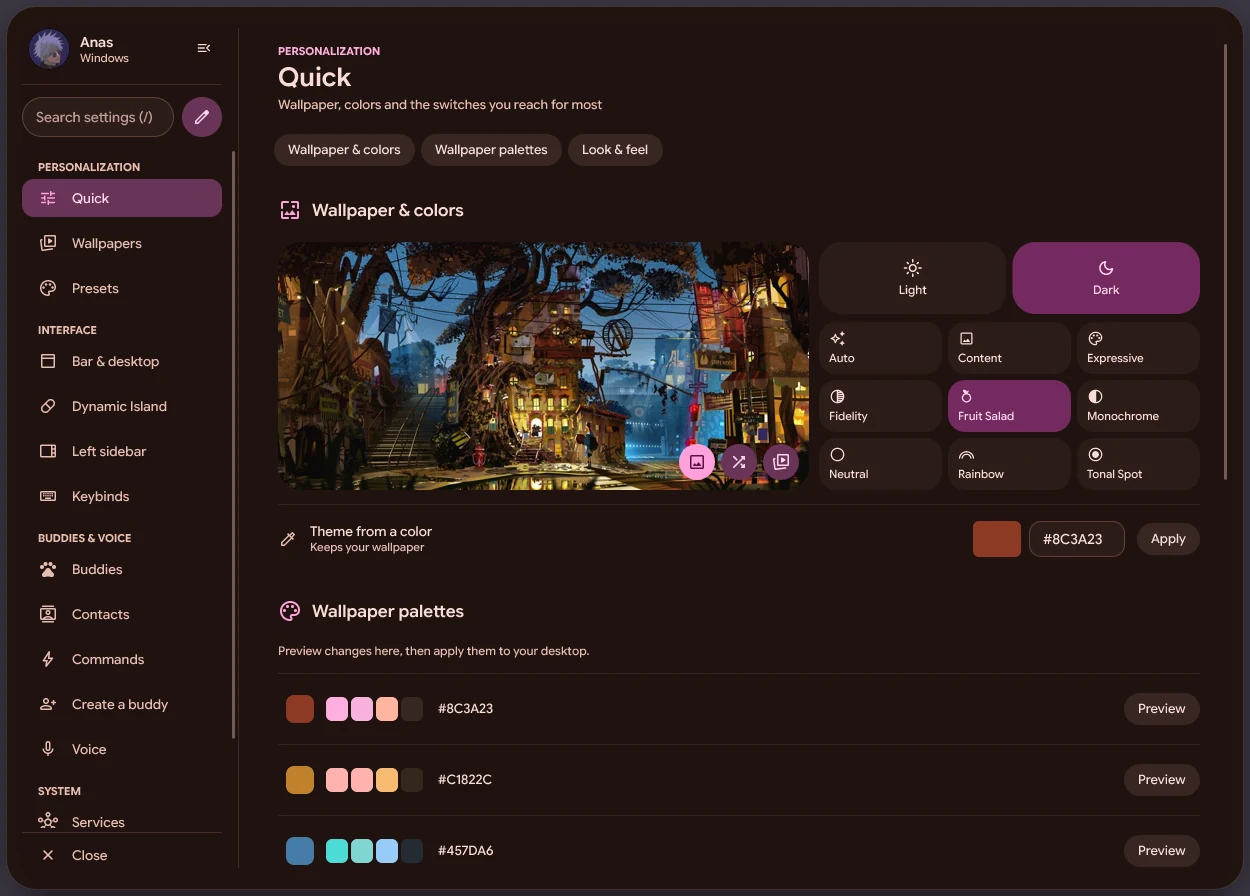
The bar, the island, the overview, two sidebars and Settings all come from zorui.exe. No browser windows, no Python or PowerShell helpers.
SettingsOverviewDynamic IslandHome sidebarDesktop and right sidebar
AI chatTranslatorSettingsOverviewDynamic Island
Home sidebarDesktop and right sidebarAI chatTranslatorSettings
Colors from your wallpaper
Generate Material You colors from your wallpaper or from a color you pick, then apply them to the bar, Windows light and dark mode, Windows Terminal and Flow Launcher.
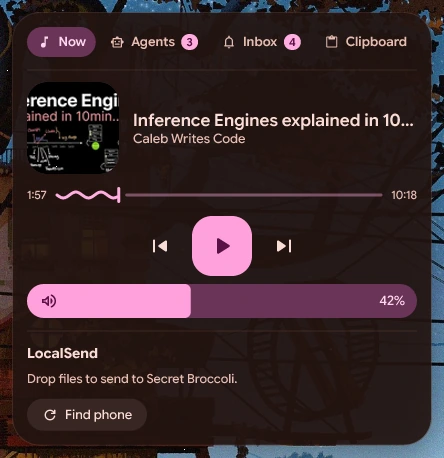
Workspaces, clock, weather, tray, media and the active window, in a layout you rearrange by drag and drop. The island expands for the song, a timer, notifications, screen recording and AI agents. Drop files on it to send them to your phone with LocalSend.
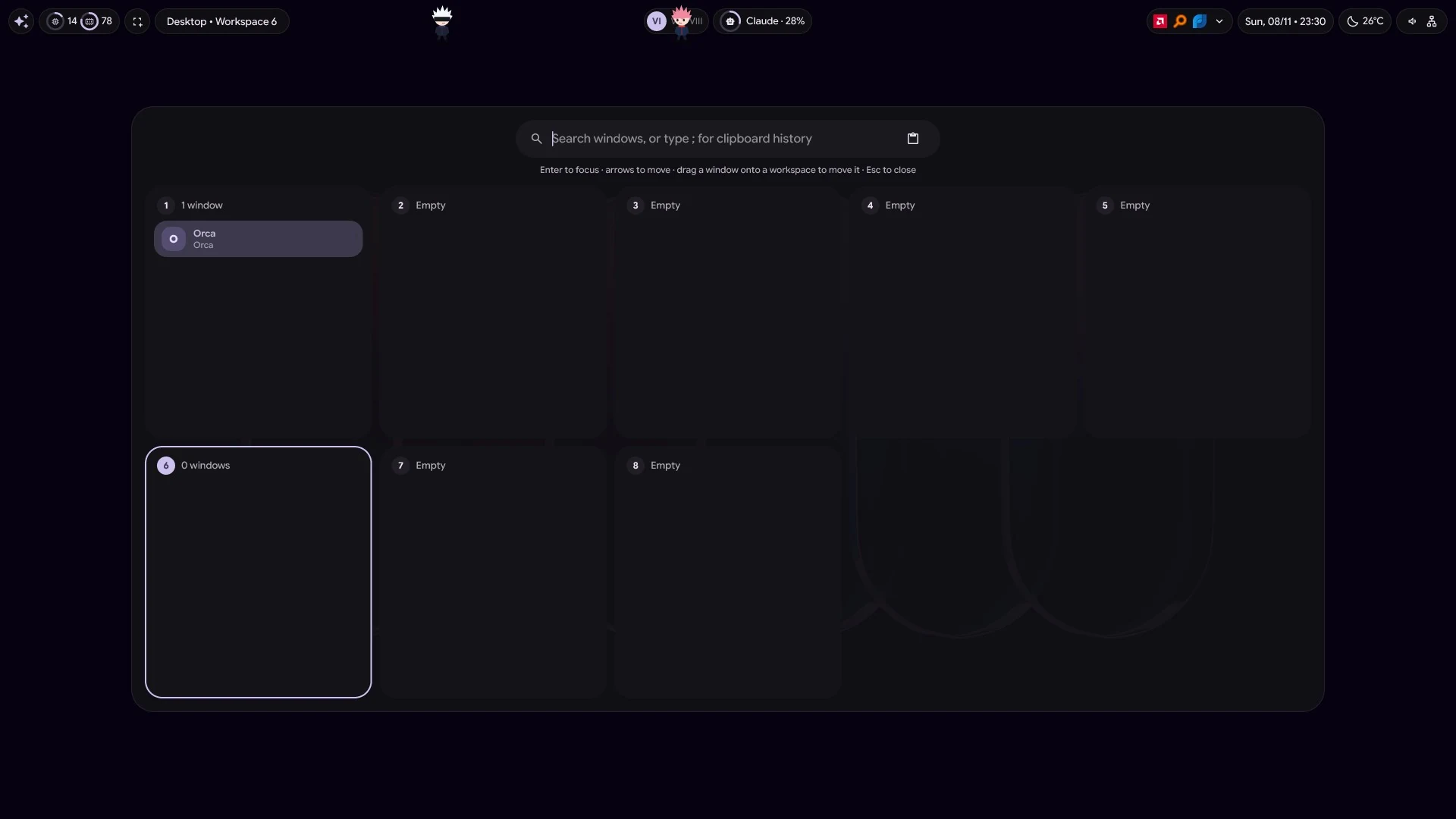
GlazeWM does the tiling. The overview shows every workspace and window, lets you drag a window to another workspace, and searches your clipboard history when you type a semicolon.
Widgets that snap together, with an optional glass look. An auto-hiding dock, an audio visualizer, screen recording, screen translate, a color picker, night light and game mode.
Two sidebars, one keystroke each
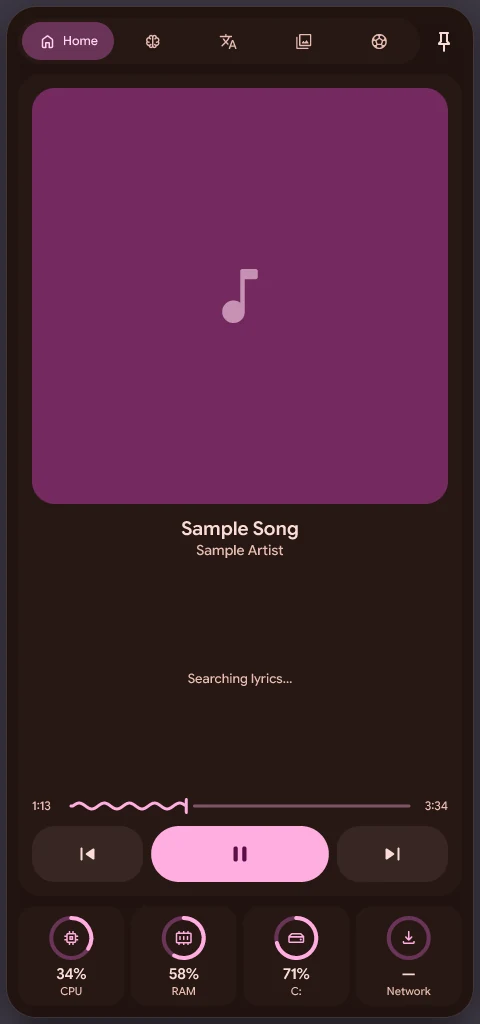
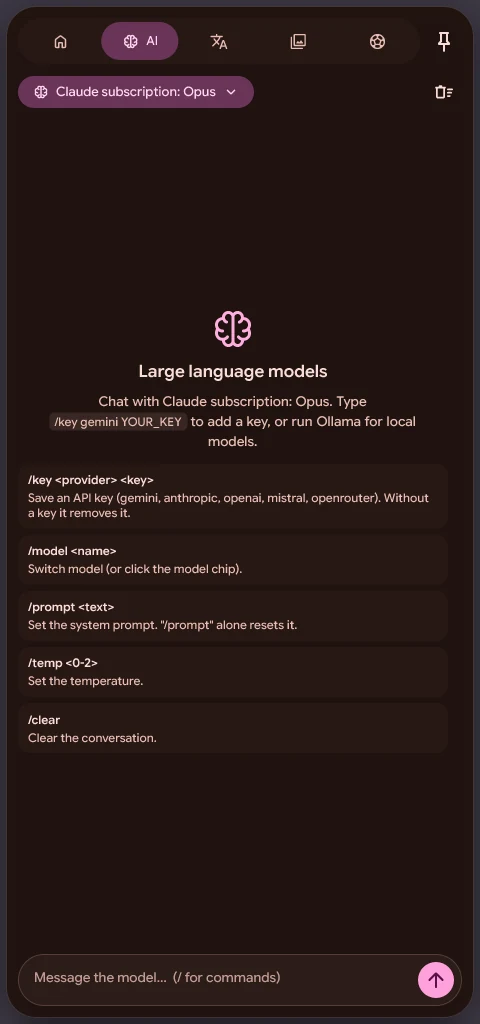
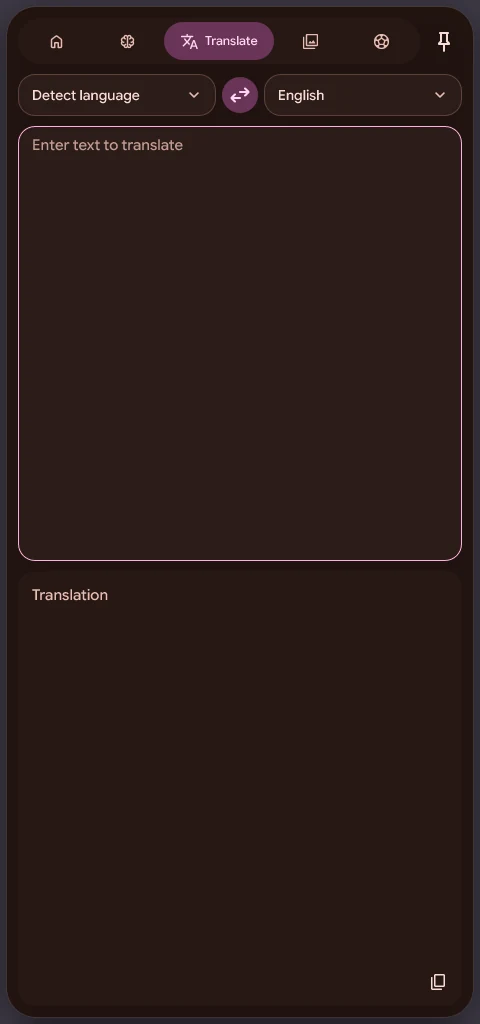
The left one has media, AI chat, a translator, anime and wallpaper search, and football. The right one has toggles, a per-app mixer, Wi-Fi and Bluetooth menus and a timer. Pin either to keep it open.
Mod+AHomePlayer with lyrics, plus CPU, RAM, disk and network.
Mod+AAI chatYour Claude, Gemini or ChatGPT subscription, API providers including OpenAI, Mistral and OpenRouter, or local Ollama models.
Mod+ATranslatorType or paste text and it detects the language.
9:41Wed 26
Focus mixNow playing
CClaude Codewants to run a command
npm test -- --watch=false
AllowDeny
Focus24:59
Recording0:00
Try the island
Claude Code, Codex, Gemini CLI and any tool that pipes JSON to zorui.exe appear in the island when they need a permission or an answer. Keep several Claude logins, and it switches to another when one nears its usage limit.
A shortcut for each panel
Mod is Alt by default, or the Windows key if you choose it at install. You can change every key in Settings.
Left sidebar: player, AI chat, translatorMod+A
Right sidebar: toggles, sliders, notificationsMod+N
SettingsMod+I
OverviewAlt+`
LauncherAlt+Space
Pick a wallpaper and regenerate colorsMod+Ctrl+T
Toggle dark and lightMod+Ctrl+D
Game modeMod+Shift+G
Talk to the buddyMod+B
Ask the buddy about your screenRight Alt twice
Go to a workspaceMod+1-9, 0
Keybinds cheatsheetMod+/
Download. Run. You're ready.
The installer handles setup. Customize your desktop whenever you like.
Download
Get ZorUI-Setup.exe, about 15 MB. It ships with zorui.exe prebuilt, so you do not need Rust installed.
Yes. The uninstaller restores the configs it backed up, turns night light off and removes everything it added. The setup wizard also adds an Apps & Features entry that uninstalls the app.
Does it replace the Windows taskbar?
The app draws its own bar. The installer has a -HideTaskbar option that turns on taskbar auto-hide, so only the new bar shows.
Do I need an API key for AI chat?
No. Use your Claude, Gemini or ChatGPT subscription, or run local models with Ollama. You can also connect an API key for a supported provider. The app encrypts keys with Windows DPAPI, tied to your Windows account.
Where does my data go?
The app runs locally on your device. We don't collect or store your data. Ollama runs AI locally too. If you choose a cloud AI provider, your AI requests go to that provider and its data policies apply.
Does the buddy listen all the time?
Only if you turn on Listen for a wake word. Wake-word detection and speech recognition run locally; your microphone audio stays on your machine. We do not collect or store it. Screen help and take-over are off by default. If you choose a cloud AI provider, your AI requests go to that provider.
How do updates work?
The app checks GitHub for a newer release once a day and installs it, keeping your config.json. Set "autoUpdate" to false to stop that.